Google Pay-Per-Call Advertising helps you get calls from customers ready to buy. Many businesses waste money on clicks that never become real jobs. A strong call plan brings better pay per call leads.
Top7seven has handled pay-per-call campaigns for over 20 years. We see the same costly mistakes often. Weak targeting, missed calls, and poor tracking drain budgets fast.
This guide shows you how to launch, track, and improve a Google Ads call campaign. This guide also covers compliance, call routing, and profit tracking. Contact Top7seven, 4878 Nickel Road, El Monte, CA 91731. Call (209)-655-3042 or email contact@top7seven.com.
Confirm Google Ads Eligibility and United States Compliance Before Launch
This step keeps your Google Ads account and call process safe. Customers trust ads that show real business details. The company must match its ads, website, and phone records.
This problem happens when businesses launch before checking rules. They may lose ad access or waste time fixing rejected campaigns. The company should prepare proof before spending money.
Complete Google Ads Advertiser Verification
This process proves that your business is real. The company should use matching legal business documents. This helps Google review your google ads account faster.
Verify Your Business Name, Phone Number, and Landing Page Details
This step keeps your business details consistent everywhere. Customers lose trust when phone numbers do not match. The company should use one verified business identity.
Check Industry Specific Certification and Verification Requirements
This check confirms whether your industry needs extra proof. Customers search for regulated services with higher care. The company may need licenses, insurance, or special approvals.
Review State Call Recording and Consent Requirements
This review helps protect recorded inbound calls. Customers may live in states with different consent rules. The company should get legal advice before recording nationwide calls.
Apply TCPA, Telemarketing Sales Rule, and Do Not Call Requirements
This step controls how your team follows up with callers. Customers should not receive unwanted sales calls. The company must honor opt-outs and internal do-not-call requests.
Obtain Consent for Call Recording, Lead Collection, and Follow Up Communications
This process documents customer permission before later contact. Customers should understand what happens with their details. The company should store consent records safely.
Protect Caller Information, Call Recordings, and Customer Data
This practice keeps private caller data secure. Customers share phone numbers, needs, and personal details. The company should limit staff access to needed information.
This problem happens when agencies treat compliance as a setup checkbox. Real jobs show why this matters. One wrong follow-up can cost more than many clicks.
Understand the Current Google Ads Call Format
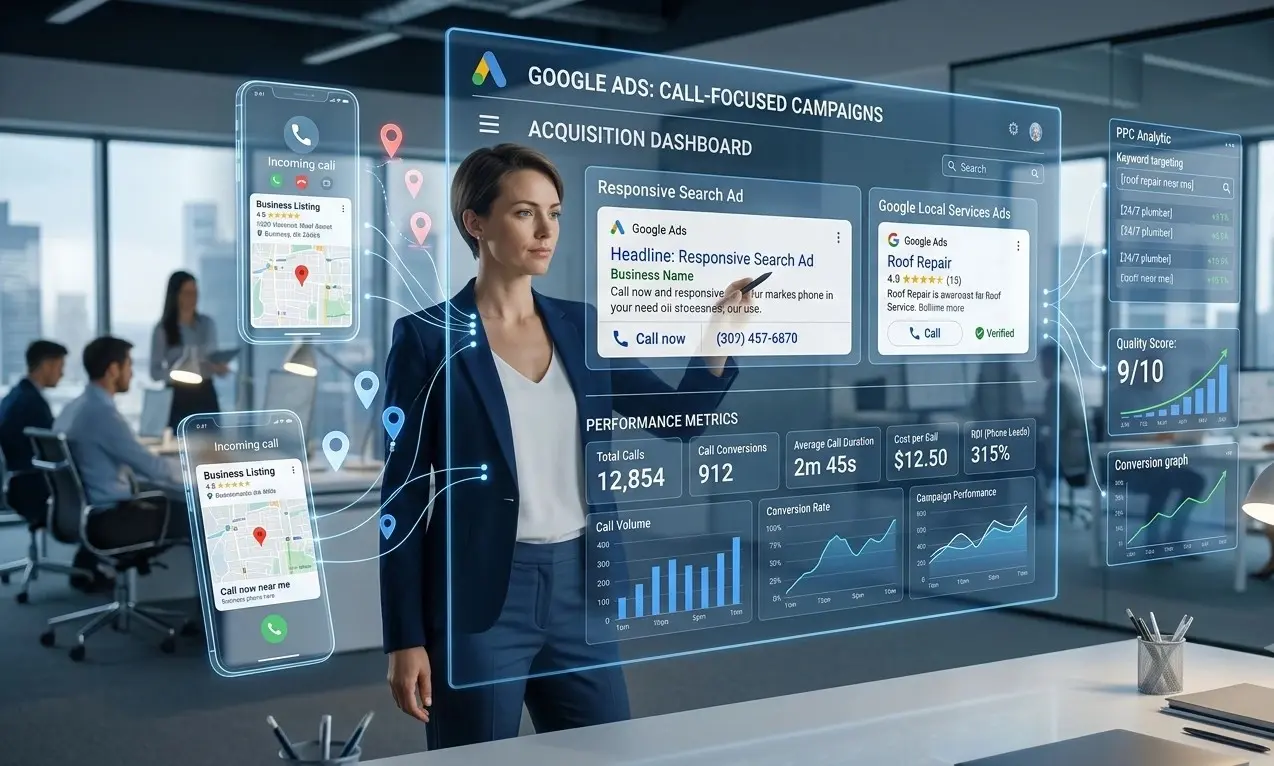
Google now uses responsive search ads with call assets for new call campaigns. Customers can click to call or visit your website. Standalone call ads are no longer the main launch option.
This change matters for every pay-per-call advertising campaign. The company should build search ads first. The company should then add approved call assets.
Transition From Call Ads to Responsive Search Ads With Call Assets
This setup replaces old call-only ad methods. Customers can see your ad message before calling. The company gains better lead screening options.
Understand How Call Assets Generate Phone Calls and Website Visits
This asset gives customers two action paths. Customers can call your business directly. They can also visit your landing page first.
Know Why Call Assets May Not Show in Every Eligible Auction
This asset may not show during every search. Google considers ad rank, device, and expected value. The company should not depend on one asset alone.
Use Location Assets Only for Verified Physical Business Locations
This asset should show real business locations only. Customers may visit shown addresses. The company should avoid using virtual locations.
This problem happens when teams copy outdated Google Ads help videos. Those setups often use old call-ad steps. The company should use current responsive search ads.
Define Campaign Goals, Service Coverage, and Profit Targets
This section defines what a profitable phone lead means. Customers may call without booking a job. The company must track calls that create real revenue.
This problem happens when businesses count every incoming call as success. Wrong numbers and price shoppers inflate results. The company should measure only useful calls.
| Metric | Simple Meaning | Example |
| Call click | Customer taps your phone number | Tap on mobile ad |
| Connected call | Customer reaches your team | Call lasts 45 seconds |
| Qualified call | Customer needs your service | Plumbing repair request |
| Booked job | Customer schedules service | Same-day appointment |
| Closed sale | Customer pays for service | Completed repair |
Define What Counts as a Qualified Phone Call
This definition separates real prospects from weak calls. Customers should match your service, location, and budget. The company should use clear qualification rules.
Map National, Regional, State, and Metro Service Areas
This map shows where your team can serve customers. Customers expect local service availability. The company should avoid cities without coverage.
Use Presence Targeting for Active Service Areas
This setting targets people located within your service area. Customers outside your coverage may still search locally. The company should review location reports weekly.
Align Call Schedules With United States Time Zones
This schedule matches ads with staffed calling hours. Customers dislike unanswered calls. The company should use separate schedules for major time zones.
Set Daily Call Capacity and Concurrent Call Limits
This limit protects your team from too many calls. Customers may hang up during long holds. The company should match spend with live staff capacity.
Calculate Your Break-Even Cost Per Qualified Call
This number shows your highest safe call cost. The company should divide gross profit by needed qualified calls. This prevents emotional bidding decisions.
Set Cost Targets Based on Gross Profit, Appointment Rate, and Close Rate
This target connects ad spend with actual business profit. The company should include labor, dispatch, refunds, and sales costs. This reveals hidden costs early.
Example: Break-Even Call Math
- Customers pay $500 for one completed job.
- The company keeps $250 after job costs.
- The company closes one of every four qualified calls.
- The company can spend about $62.50 per qualified call.
This problem happens when teams only watch cost per click. A cheap click can still create a bad lead. The company should prioritize profitable call conversion data.
Research High-Intent Google Pay-Per-Call Keywords
This research finds search terms from customers ready to talk. Customers use urgent words before calling. The company should focus on service needs, locations, and timing.
This problem happens when teams target broad research terms. Those searches often bring low-intent visitors. The company should build campaigns around urgent buying signals.

Identify Core Service and Commercial Intent Keywords
This research finds direct service searches with buying intent. Customers search “roof repair estimate” before calling. The company should match ads with one service.
Target Emergency, Immediate Need, and Near Me Searches
This targeting reaches customers needing fast help. Customers may search “emergency locksmith near me.” The company should prepare fast call answers.
Separate Branded, Non-Branded, and Competitor Search Terms
This separation makes campaign performance easier to understand. Customers searching your brand already know you. The company should control competitor terms carefully.
Choose Keyword Match Types Based on Call Quality Goals
This choice controls how widely Google matches searches. Customers may use different words for one need. The company should test match types slowly.
Build Negative Keyword Lists Before Launch
This list blocks searches that waste money. Customers may search jobs, training, free help, or supplies. The company should block those terms early.
Starter Negative Keyword Ideas
- Jobs
- Salary
- Training
- Free
- DIY
- Wholesale
- Used
- Reviews only
- How to become
- Parts
This problem happens when campaigns chase every possible search query. We have seen “free estimates” searches consume emergency-service budgets. The company should protect high-value terms first.
Structure Search Campaigns for National Pay-Per-Call Advertising
This structure keeps services, locations, and profits easier to manage. Customers need different messages for different problems. The company should avoid one large mixed campaign.
This problem happens when every service shares one budget. Urgent calls can lose spend to weaker searches. The company should separate campaigns by value.

Separate Campaigns by Service Category and Profit Potential
This structure protects high-profit services from low-value traffic. Customers may need repairs, installs, or inspections. The company should assign different budgets.
Separate National, Regional, State, and Local Service Area Campaigns
This setup shows where your calls produce profit. Customers react differently by market. The company should compare costs by state and metro area.
Create Focused Ad Groups for Closely Related Search Terms
This grouping improves ad relevance for each search. Customers want direct answers. The company should use narrow service groups.
Separate Emergency Service Campaigns From Standard Service Campaigns
This separation protects urgent call budgets. Customers needing emergency help call faster. The company should use faster routing for those calls.
Exclude Locations That Cannot Receive Service
This action stops wasted calls from unsupported areas. Customers become frustrated after hearing no service exists. The company should update exclusions often.
This problem happens when national targeting looks simple from inside Google Ads. Real lead distribution needs control. The company should launch smaller service areas first.
Build Mobile-First Landing Pages That Drive Qualified Calls
This landing page gives callers enough trust before they call. Customers want fast answers on mobile devices. The company should remove confusing page sections.
This problem happens when landing pages feel like brochures. Customers leave when services and coverage stay unclear. The company should show the main answer immediately.
Match Each Landing Page to One Service and Search Intent
This match helps customers confirm they found the right service. Customers searching drain cleaning need drain cleaning details. The company should avoid mixed service pages.
Display a Consistent Business Phone Number and Service Coverage Details
This detail builds trust before customers call. Customers notice mismatched phone numbers quickly. The company should show service areas clearly.
Add Click-to-Call Buttons Above the Fold
This button makes calling easy from mobile devices. Customers should not scroll to find help. The company should place buttons near service promises.
Show Business Hours, Trust Signals, and Industry Credentials
This content helps callers feel safer before calling. Customers look for reviews, licenses, and response times. The company should use only true proof.
Use Service-Specific Call-to-Action Messages
This message tells customers what happens after calling. Customers respond better to clear next steps. The company should avoid vague “Contact Us” buttons.
Offer Forms and Online Booking for Visitors Not Ready to Call
This option saves leads who need more time. Customers may compare options before calling. The company should track form fills separately.
Mobile Landing Page Checklist
- One clear service promise
- Visible click-to-call button
- Service area details
- Business hours
- Real trust signals
- Short booking form
- Fast page speed
This problem happens when businesses force every visitor to call. Some high-intent customers need proof first. The company should support calls and form fills.
Create Google Search Campaigns With Call Assets
This campaign setup creates search ads that encourage qualified calls. Customers should understand your offer before tapping. The company should build ads around one service need.
This problem happens when ads promise everything to everyone. Customers call with unclear expectations. The company should pre-qualify calls inside the ad.
Choose Phone Call Conversions as the Campaign Goal
This goal tells Google that calls matter most. Customers may still visit your website first. The company should track both actions correctly.
Configure Search Networks, Location Settings, and Language Settings
This setup controls where and how ads appear. Customers should see ads in supported areas. The company should avoid unnecessary network expansion early.
Create Responsive Search Ads for Each Core Service
This ad type tests different headlines and descriptions. Customers see messages matching their searches. The company should provide strong service details.
Write Ad Headlines That Pre-Qualify Phone Leads
This headline filters poor callers before they click. Customers should know your area, hours, and service type. The company should state key limits clearly.
Add Call Assets at the Account, Campaign, or Ad Group Level
This asset adds a call option to search ads. Customers can call directly from eligible ads. The company should use the right control level.
Add Relevant Final URLs for Lead Qualification
This URL gives customers details before calling. Customers may want prices, service areas, or proof. The company should send them to matching pages.
Use Callout, Structured Snippet, and Sitelink Assets
These assets make ads more useful and specific. Customers can see service types and key benefits. The company should avoid repeating headlines.
This problem happens when teams write ads without customer filters. We often see calls from unsupported areas after vague ad copy. The company should mention exact coverage.
Set Budgets, Bidding, and Call Schedules
This setup controls spending while your team learns call quality. Customers may call at unpredictable times. The company should begin with controlled test budgets.
This problem happens when new campaigns use aggressive automation too early. Google needs reliable conversion data. The company should avoid scaling weak signals.
Choose a Daily Test Budget Based on Call Capacity
This budget should match calls your team can answer. Customers should not reach long hold times. The company should start with manageable volume.
Start With a Bidding Strategy That Matches Available Conversion Data
This strategy should fit your current tracking quality. Customers create useful data after connected calls. The company should avoid guessing before enough data exists.
Move to Conversion-Focused Bidding After Collecting Reliable Data
This shift helps Google find more valuable calls. Customers must produce tracked conversions first. The company should only switch after clean results.
Adjust Spend by Service Area, Device, and Time of Day
This adjustment moves budget toward stronger call periods. Customers may convert better on mobile devices. The company should review reports every week.
Schedule Call Assets Only When Qualified Staff Can Answer
This schedule prevents paid calls from going unanswered. Customers often call competitors after a missed call. The company should match ad hours with staff.
Increase Bids During High-Value Calling Periods
This increase captures demand during profitable hours. Customers may call more during storms or emergencies. The company should use real call data.
This problem happens when businesses run ads twenty-four hours daily. After-hours calls can create expensive missed opportunities. The company should use smart schedules.
Route Calls and Prevent Missed Lead Spend
This routing process sends each call to the right person quickly. Customers expect help without transfers. The company should treat missed calls as paid lost leads.
This problem happens when marketing teams ignore operations. The ad creates demand, but staff cannot answer. The company should test every path before launch.
Route Calls by Service Area, Time Zone, and Team Availability
This routing sends customers to available local teams. Customers should reach the correct department quickly. The company should use clear routing rules.
Set Daily Call Caps and Concurrent Call Rules
This rule stops more calls than your team can handle. Customers dislike long waits. The company should protect service quality during busy periods.
Create Overflow Routing for Unanswered Calls
This workflow catches calls when the main team stays busy. Customers may accept another qualified team. The company should set trusted backup options.
Build After-Hours and Emergency Call Handling Workflows
This workflow gives callers a clear next step after hours. Customers may need urgent help immediately. The company should use honest availability messages.
Test Every Call Route Before Launching Ads
This test finds broken paths before customers find them. Customers should not hear dead lines or wrong menus. The company should test from real mobile phones.
This problem happens when teams test only one phone number. We have seen national campaigns route Florida calls to California teams. The company should test every state flow.
Track Google Ads Phone Call Conversions
This tracking shows which ads create valuable phone calls. Customers may call from ads or landing pages. The company should measure each source separately.
This problem happens when teams count every phone click as a conversion. A tap does not guarantee a conversation. The company should track connected call duration.
Enable Google Ads Call Reporting
This feature shows details about calls from call assets. Customers call through a Google forwarding number. The company can review call timing and length.
Track Calls From Call Assets
This tracking measures calls started from your search ads. Customers may call without visiting your page. The company should create a call conversion action.
Track Landing Page Calls With Dynamic Number Insertion
This method changes website numbers for tracked ad visitors. Customers still see a familiar number. The company can link calls with ad traffic.
Choose Between Google Forwarding Numbers and Third-Party Tracking Numbers
This choice depends on your tracking and routing needs. Customers should receive a smooth call experience. The company should avoid broken number swaps.
Set Minimum Call Duration Thresholds for Meaningful Calls
This threshold filters short calls from real conversations. Customers may misdial or hang up quickly. The company should test duration by service type.
Separate Call Clicks, Connected Calls, and Qualified Calls
This separation reveals where leads drop off. Customers may click but never connect. The company should never treat these metrics as identical.
Test Conversion Tracking Before Activating Campaign Spend
This test confirms every conversion fires correctly. Customers should not become your tracking experiment. The company should complete live test calls first.
This problem happens when a campaign shows perfect conversions but weak sales. The company may be counting short calls. The company should use meaningful call duration rules.
Qualify Calls and Send Revenue Data Back to Google Ads
This process teaches Google which calls create money. Customers may call, book, or buy later. The company should send deeper results back to Google Ads.
This problem happens when campaigns optimize only for call volume. More calls can mean more bad leads. The company should optimize for booked jobs and closed sales.

Review Call Recordings, Transcripts, and Sales Notes Where Lawful
This review shows why calls succeed or fail. Customers reveal needs through real conversations. The company should follow applicable consent rules.
Create Clear Lead Disposition Categories
This system labels what happened on each call. Customers may book, decline, qualify, or need follow-up. The company should use simple categories.
Identify Spam, Wrong Number, Repeat, and Unqualified Calls
This process removes poor calls from performance decisions. Customers may call about unrelated services. The company should label every waste type.
Track Qualified Calls, Booked Appointments, Closed Sales, and Revenue
This tracking connects lead generation with business outcomes. Customers move through several stages before buying. The company should record every key stage.
Connect Call Tracking Data With Your CRM
This connection keeps sales and marketing data together. Customers should not get repeated questions. The company should give teams one clear record.
Import Qualified Call and Revenue Conversion Data Into Google Ads
This import helps Google learn from stronger leads. Customers who become sales show better intent signals. The company should upload clean first-party data.
Assign Conversion Values to High-Quality Calls
This value shows Google which calls matter most. Customers may bring different job values. The company should assign values from real revenue.
This problem happens when a $20 call looks equal to a $2,000 sale. That setup trains campaigns toward volume. The company should import qualified calls and revenue data.
Optimize Cost Per Qualified Call and Campaign Profitability
This process improves campaign profit using real call results. Customers change search behavior by season and location. The company should review data every week.
This problem happens when teams make changes after one bad day. Real campaign performance needs enough call data. The company should look for repeat patterns.
Review Cost Per Call, Cost Per Qualified Call, and Cost Per Sale
This review shows where money creates profit. Customers may call cheaply but fail qualification. The company should compare every stage.
Compare Results by Service Area, Device, Time Zone, and Service Type
This comparison finds your strongest campaign segments. Customers behave differently across cities and devices. The company should move budgets toward proven areas.
Review Search Terms and Expand Negative Keyword Lists
This review blocks new waste searches over time. Customers may use unexpected phrases. The company should add bad terms every week.
Pause Keywords, Ads, and Locations That Produce Low-Quality Calls
This action protects budgets from poor traffic. Customers may click without needing your service. The company should pause weak patterns carefully.
Test Landing Page Content, Call-to-Action Messages, and Phone Placement
This testing improves how customers choose to call. Customers may need clearer pricing or service areas. The company should change one item at a time.
Increase Spend Only on Profitable Campaign Segments
This action scales proven pay-per-call marketing segments. Customers should keep receiving fast service. The company should increase budgets slowly.
Reduce Spend on Unprofitable Campaign Segments
This action stops repeated waste from weak segments. Customers may not match some service areas. The company should cut spending based on facts.
This problem happens when marketers chase lower cost per click numbers. Cheap traffic rarely guarantees good calls. The company should maximize qualified calls and profit.
Conclusion
Google Pay-Per-Call Advertising works best when every call has a purpose. Strong targeting helps you reach high-intent customers. Good routing keeps paid calls from going unanswered.
Top7seven builds campaigns around real calls, real jobs, and real revenue. We help businesses track what happens after customers call. We also help reduce wasted spend from weak keywords and missed leads.
We can help you launch a smarter Google Pay-Per-Call Advertising campaign. Contact Top7seven at 4878 Nickel Road, El Monte, CA 91731. Call (209)-655-3042 or email contact@top7seven.com.
FAQ
Is Google Pay-Per-Call Advertising profitable?
Google Pay-Per-Call Advertising can be profitable when qualified calls cost less than closed-job profit. Customers should track booked jobs, not only calls. A $40 call can work well when it creates a $500 profit. Weak targeting and missed calls can erase gains quickly.
How does Google Pay-Per-Call Advertising work?
Google Pay-Per-Call Advertising uses Search ads, call assets, and landing pages to drive calls. Customers search for urgent services and see your ad. They can call your business or visit your page. The company then tracks calls, checks lead quality, and improves campaigns.
Are Google call-only ads going away?
Yes, Google is replacing call-only ads with responsive search ads and call assets. Google removed new call-ad creation options in February 2026. Existing call-only ads will stop receiving impressions in February 2027. Businesses should move to responsive search ads with call assets now.
What is a good monthly budget for Google Pay-Per-Call Advertising?
A good budget depends on your call capacity, service profit, and local competition. Customers should start with a controlled test budget. The company can begin with $1,500 to $3,000 monthly for many local services. It should raise spend only after qualified calls produce profit.
Which call metrics should businesses track for pay-per-call campaigns?
Businesses should track call clicks, connected calls, qualified calls, booked jobs, and closed sales. Customers often mistake long calls for good leads. The company should also track call duration, missed calls, cost per qualified call, and cost per sale. Google supports phone-call conversion tracking for this purpose.