Google Ads for dentists leads can bring new patient calls and bookings from local sut get weak calls. This problem hurts busy dental teams and wastes ad spend.
I have managed lead programs for over 20 years. I have seen great dental offices lose patients through poor targeting. Top7seven builds campaigns around real calls, real bookings, and real patient value.
This guide shows how to build Google Ads for dentists that create better leads. You will learn targeting, ads, landing pages, tracking, and follow-up. Contact Top7seven, 4878 Nickel Road, El Monte, CA 91731. Call (209)-655-3042 or email contact@top7seven.com.
Set Dental Lead Generation Goals and Cost Targets
This section helps your dental practice set clear lead goals. Customers waste money when every form becomes a lead. They need simple numbers that show real patient growth.
This work starts before any Google Ads campaign launches. Customers need targets for calls, bookings, new patients, and treatment starts. The company should review these numbers every week.
Define a Qualified Dental Lead
This qualified dental lead fits your office, service area, and available services. They should want care from your dental clinic. They should also provide real contact details.
Customers often count spam calls as leads. They also count job seekers and insurance-only callers. That mistake makes weak campaigns look successful.
Define a Booked Appointment, New Patient, and Treatment Start
This section separates leads from real patient outcomes. A booked appointment means the patient chose a time. A new patient means they arrived for care.
A treatment start means they accepted a planned service. This step matters most for high-value services. Dental implants, veneers, and full-mouth cases need separate tracking.
Set Cost Per Lead, Cost Per Appointment, and New Patient Acquisition Cost Targets
This section sets the numbers that protect your budget. Cost per lead shows your spending per inquiry. Cost per appointment shows your spending per booking.
This formula keeps reports simple:
| Metric | Formula | What It Shows |
| Cost Per Lead | Ad Spend ÷ Leads | Lead cost |
| Cost Per Appointment | Ad Spend ÷ Booked Appointments | Booking cost |
| New Patient Acquisition Cost | Ad Spend ÷ New Patients | Patient cost |
| Treatment Cost Per Start | Ad Spend ÷ Treatment Starts | Service profitability |
Customers should avoid judging campaigns through clicks alone. They should judge campaigns through booked and completed visits.
Set Different Cost Targets by Dental Service
This section uses separate goals for each dental service. Emergency calls often cost less than implant leads. Cosmetic cases often cost more but create greater revenue.
Customers should avoid one universal lead target. They need separate targets for emergency, general, cosmetic, and implant campaigns.
Adjust Cost Targets by Metro Area and Competition Level
This section adjusts targets for local market pressure. Large cities often have higher click prices. Smaller cities may have less search volume.
Customers should compare office locations separately. They should not expect Los Angeles costs in a small-town market.
Build a Local Foundation for Dental Google Ads
This section builds the local trust signals behind dental Google Ads. Customers search for nearby offices, reviews, hours, and directions. Your business details must match everywhere.
This problem happens when office data changes across platforms. Customers may call an old number or visit the wrong office. The company should check location details every month.
Verify and Maintain Your Google Business Profile
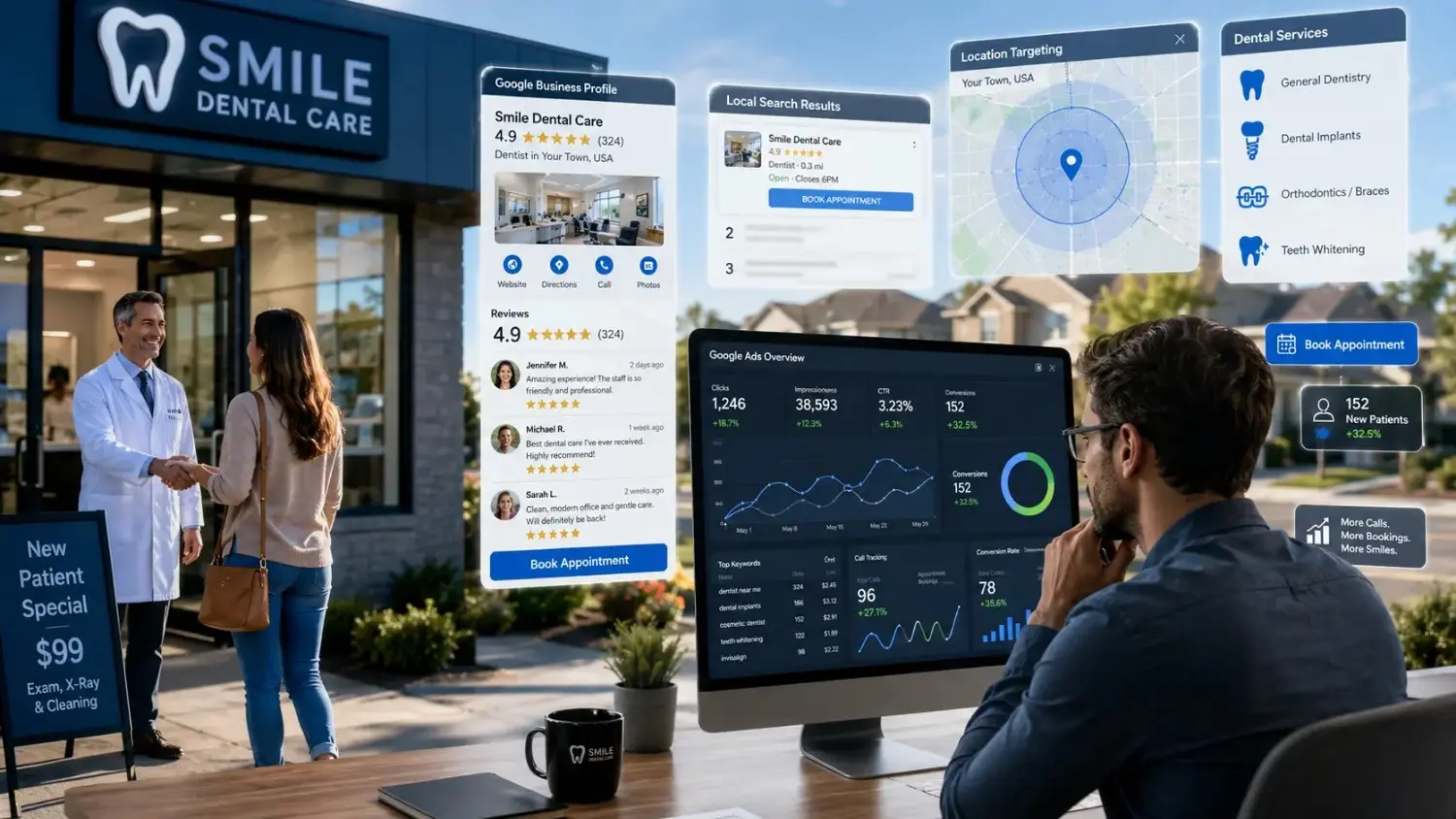
This Google Business Profile gives patients local proof before they call. Customers check reviews, office hours, photos, and directions. They also compare nearby dentists fast.
The company should keep services, office hours, and phone numbers current. Google requires Local Services advertisers to maintain a public, verified Business Profile. Google Business Profile Locations to Google Ads
This section links your profile with Google Ads location assets. Customers can see local office details with your ads. This adds useful proof before the click.
Google Ads supports linking Business Profiles through location assets. The company should connect only the correct managed office profiles. h Each Campaign With the Correct Dental Office Location
This section keeps each campaign tied to one real office. Customers hate ads that send them across town. They want nearby care.
The company should use separate location campaigns for each clinic. This setup also makes reporting cleaner.
Keep Office Hours, Phone Numbers, and Service Details Consistent
This section prevents trust problems before patients call. Customers notice wrong hours quickly. They may leave after one bad experience.
The company should match details across ads, landing pages, maps, and directories. This step also reduces front desk confusion.
Align Campaign Availability With Front Desk and Clinical Capacity
This section keeps ads active during real booking coverage. Customers often call during lunch, after hours, or busy periods. Unanswered calls disappear fast.
The company should match ad schedules with staff coverage. Emergency ads need live coverage or clear after-hours steps.
Choose the Right Google Ads Channels for Dental Leads
This section helps you choose the right Google Ads strategy. Customers searching for dental care often show strong intent. They need a fast answer and nearby option.
The company should start with channels that create direct calls and bookings. Broad awareness campaigns need more testing and tighter tracking.
Use Google Search Ads for High Intent Dental Searches
This Google Search Ads channel reaches people actively searching for dental services. Customers may search “emergency dentist near me” or “dental implants near me.”
The company should focus on urgent and high-value searches first. These searches often bring stronger intent.
Use Google Local Services Ads for Local Dental Leads
This Local Services Ads channel brings leads through calls and messages. Customers can contact local providers without visiting a website first.
Google says Local Services Ads can deliver phone calls, messages, and bookings. The company should review every lead inside the Local Services dashboard. are Google Search Ads and Local Services Ads by Cost and Control
This section compares control, speed, and lead handling.
| Feature | Google Search Ads | Local Services Ads |
| Keyword control | High | Limited |
| Ad copy control | High | Limited |
| Landing page control | High | Limited |
| Lead type | Calls and forms | Calls and messages |
| Billing style | Click-based | Lead-based |
| Best use | Service campaigns | Local demand capture |
Customers should use both channels with separate tracking. They solve different lead problems.
Use Google Search Ads and Local Services Ads Together
This section combines coverage without blending reports. Search ads control keywords and messaging. Local Services Ads support fast local calls.
The company should compare booked appointments from both channels. This shows the true winner.
Decide When Performance Max Can Support Dental Lead Generation
This section uses Performance Max as a support channel. Google positions Performance Max as a goal-based campaign across its inventory. any should use it after strong conversion tracking exists. Weak conversion data creates weak automation.
Build a High Intent Dental Campaign Structure
This section organizes campaigns around patient intent. Customers search differently for tooth pain, implants, whitening, and cleanings. One mixed campaign creates poor reports.
The company should keep every campaign simple. This makes budgets, ads, and results easier to manage.
Separate Brand and Non Brand Campaigns
This section separates your practice name from new-patient searches. Brand searches usually cost less. Non-brand searches bring new market demand.
The company should protect branded traffic with its own campaign. This prevents reporting mistakes.
Create Campaigns by Dental Office, Service, and Metro Area
This section creates clean campaign groups by office and service. Customers need nearby options. They also need the exact service they searched.
The company should separate busy metro areas from smaller markets. This protects budgets from high-cost locations.
Prioritize Emergency, Implant, Cosmetic, and General Dentistry Campaigns
This section prioritizes services with strong intent. Emergency searches often create fast calls. Implant and cosmetic searches often create higher treatment value.
The company should launch services based on patient value and staff capacity. This prevents low-value leads from taking every dollar.
Organize Ad Groups by Dental Procedure and Search Intent
This section connects each ad group with one procedure. Customers searching for implants should see implant ads. They should not see cleaning ads.
The company should keep keyword themes tight. Tight groups improve message match.
Set Ad Schedules Around Front Desk Coverage and Emergency Availability
This section stops wasted calls during closed hours. Customers expect quick answers after clicking an ad. Missed calls can erase good campaign performance.
The company should use live call coverage during high-cost periods. They should also track missed calls by hour.
Target High Intent Local Dental Keywords
This section finds searches from people ready to choose a dentist. Customers use short, urgent phrases on mobile. They often search near home or work.
The company should target service, city, and urgency words together. This creates stronger dental keywords.
Target Dentist Near Me Searches
This dentist near me search shows local buying intent. Customers want nearby care and fast directions. They often decide within minutes.
The company should connect these searches with location assets and mobile calls.
Target Emergency Dentist Searches
This emergency dentist search often brings urgent calls. Customers may have pain, swelling, broken teeth, or lost fillings.
The company should use emergency terms only during true emergency coverage. False urgency creates poor patient experiences.
Target Dental Implant Searches
This dental implant search often brings high-value treatment interest. Customers may research implants for weeks. They need clear financing and consultation steps.
The company should send these searches to implant-only landing pages.
Target Cosmetic Dentistry Searches
This cosmetic dentistry search needs strong visual proof. Customers often compare veneers, whitening, bonding, and smile makeovers.
The company should use accurate photos and clear service details. Patients should understand what each service includes.
Use Dental Service, City, and Neighborhood Keywords
This section combines service and location terms. Customers search phrases like “veneers in Pasadena” or “dentist in El Monte.”
The company should build city groups for each office. This keeps local intent clear.
Use Presence Based Location Targeting
This section targets people inside your real service area. Customers may search while traveling or working nearby. Presence targeting focuses on local users.
The company should avoid broad national settings for local dental services.
Exclude Locations Outside Each Office Service Area
This section prevents calls from distant areas. Customers may call without checking distance. Long travel creates low booking rates.
The company should exclude cities outside practical driving range.
Use Keyword Match Types and Negative Keywords to Control Lead Cost
This section controls how broadly your ads appear. Google offers exact, phrase, and broad keyword matching. Exact match gives tighter control than broader options. any should review search terms every week. This habit finds costly clicks before they grow.
Use Exact Match Keywords for High Intent Searches
This exact match keyword setup controls urgent searches tightly. Customers may search exact service phrases. These terms often show clear need.
The company should start with high-intent exact terms.
Use Phrase Match Keywords for Relevant Search Variations
This phrase match setup captures related search wording. Customers rarely type the same phrase every time. Phrase match gives useful reach.
The company should review new terms before scaling spend.
Test Broad Match Only With Reliable Conversion Data
This broad match setup reaches wider related searches. Customers may use unexpected wording. Weak tracking makes broad match risky.
The company should use broad match after qualified lead tracking works. Google notes broader matching reaches more search variations. ude Dental Job, Career, School, and Training Searches
This section blocks job-seeker traffic. Customers searching careers do not need patient care. These clicks burn budget fast.
The company should add negatives like:
- jobs
- salary
- school
- training
- course
- internship
- assistant jobs
Exclude Free and Low Cost Dental Searches That Do Not Fit Your Practice
This section removes searches outside your pricing model. Customers may search free clinics, donated care, or government programs. Those searches may not fit private practice services.
The company should only exclude terms that truly do not fit. Some affordable-care searches may still create real patients.
Review Insurance Related Searches Based on Practice Eligibility
This section keeps insurance wording accurate. Customers often search for plans by name. Wrong plan claims create angry calls.
The company should match ads with accepted plans and verified benefits.
Decide Whether to Exclude or Isolate Competitor Searches
This section handles competitor name searches carefully. Customers may compare offices before booking. These clicks can cost more and convert less.
The company should isolate competitor terms in a small test campaign. This keeps those costs visible.
Create Dental Ads That Generate Calls and Appointment Requests
This section turns search intent into calls and bookings. Customers need a clear reason to choose your office. Vague ads lose attention.
The company should write ads around one service, one location, and one action.
Write Procedure Specific Responsive Search Ads
This section matches ads with the exact procedure. Customers searching implants need implant language. Customers searching emergencies need urgent care language.
The company should avoid one generic dental ad for every service.
Use Local Trust Signals, Dentist Credentials, and Patient Benefits
This section builds trust before the click. Customers want nearby care, experienced dentists, and clear benefits. They also want proof.
The company should mention real credentials and verified office facts. They should avoid unsupported claims.
Use Clear Appointment Focused Calls to Action
This section tells people what to do next. Customers need a simple next step. Strong calls to action reduce confusion.
The company should use phrases like:
- Call for a same-day visit
- Book your new patient exam
- Request an implant consultation
- Schedule a smile makeover visit
Highlight Emergency Availability Only When It Is Accurate
This section protects patient trust. Customers may call during pain or stress. They need honest availability details.
The company should show emergency claims only during actual coverage.
Use Call Assets, Location Assets, Sitelinks, Callouts, and Structured Snippets
This section makes ads easier to use. Google assets can add phone actions, location details, service links, and extra service information. any should add useful assets for hours, emergency care, implants, insurance, and directions.
Set Up and Manage Google Local Services Ads for Dentists
This section manages Google Local Services Ads as a live lead source. Customers expect fast replies through this channel. Slow replies harm booking chances.
The company should treat each Local Services lead like a front desk call. The lead needs fast contact and clear notes.
Confirm Dental Local Services Ads Eligibility
This section checks service availability and local eligibility. Google controls eligible categories and markets. Customers should not assume every office qualifies.
The company should review available service categories in their local dashboard.
Complete Google Verification and Business Screening Requirements
This section completes required business checks. Google requires screening and a verified Business Profile for Local Services advertisers. any should keep licenses, business details, and public profile details current.
Optimize Dental Services, Reviews, Office Hours, and Service Areas
This section gives patients accurate local information. Customers compare reviews, services, and office availability. Poor details reduce trust.
The company should update service areas and hours after every operational change.
Manage Local Services Ads Calls, Messages, and Booking Requests
This section keeps leads from going cold. Customers expect a reply quickly. Delayed contact often creates missed appointments.
The company should assign one team member to monitor calls and messages.
Review Invalid Leads and Track Local Services Ads Credits
This section catches leads that do not match your service. Customers may call for wrong services or distant locations. These leads should not hide real performance.
The company should document bad leads immediately. They should use the available review process for disputed leads.
Create Landing Pages That Turn Dental Ad Clicks Into Leads
This section turns paid clicks into appointment requests. Customers leave pages that feel confusing or generic. They want answers fast.
The company should build one landing page for one service and one office. This makes the page feel relevant.
Match Each Landing Page to One Dental Service and Office Location
This section improves message match. Customers searching implants need implant information. They should see the correct office address.
The company should avoid sending every visitor to the homepage.
Display Patient Reviews, Ratings, Dentist Credentials, and Accurate Before and After Photos
This section adds proof for cautious patients. Customers want to know who will treat them. They also want honest results.
The company should use real reviews and approved photos. They should avoid altered images or unrealistic outcomes.
Make Booking Forms and Click to Call Options Easy for Mobile Users
This section makes action simple on small screens. Most dental searches happen on phones. Long forms lower response rates.
The company should use short forms, large buttons, and click-to-call options.
Explain Insurance, Financing, and New Patient Offers Clearly
This section reduces uncertainty before patients call. Customers often worry about cost before booking. Clear details help the right leads act.
The company should explain offer limits and financing terms honestly.
Match Landing Page Messaging With Search Terms and Ad Copy
This section repeats the user’s real need. Customers expect the page to match the ad. Mismatched pages create fast exits.
The company should match service names, city names, and booking language.
Track Dental Leads From Click to Patient Revenue
This section tracks the full lead path. Customers may call, submit forms, book, attend, and accept treatment. Each step matters.
The company should track only useful actions. Too many weak conversion events confuse bidding.

Set Up Form, Call, and Appointment Conversion Tracking
This section records meaningful lead actions. Customers may use forms or calls. The company needs both sources.
The company should separate form leads from phone leads.
Use Call Tracking and Dynamic Number Insertion
This section identifies which campaign caused each call. Customers often call from mobile search ads. Dynamic number insertion helps connect calls with campaigns.
The company should protect phone data and limit access.
Define Call Quality and Minimum Call Duration Rules
This section separates real prospects from quick wrong-number calls. Customers may hang up quickly or ask unrelated questions. Call length alone does not prove quality.
The company should use simple labels:
- Qualified dental inquiry
- Booked appointment
- Existing patient
- Wrong service
- Spam call
- Job seeker
- Missed call
Connect Google Ads With Your CRM and Dental Practice Management System
This section connects marketing data with patient outcomes. Customers need one source of truth. Separate systems create missing data.
The company should send only approved, minimal data between systems.
Record Lead Qualification, Booking Status, Attendance, Treatment Acceptance, and Patient Revenue
This section shows which leads become valuable patients. Customers may book but never attend. Others may accept treatment weeks later.
The company should update each lead stage every day.
Use Enhanced Conversions for Leads and Offline Conversion Imports Carefully
This section requires strict privacy review. Google says sensitive-category conversions cannot use enhanced conversions or store-sales uploads. any should avoid sending protected health information into ad tools. Google describes enhanced conversions as hashed first-party data, but hashing does not remove legal duties. e Bidding and Budget Strategies for Dental Lead Generation
This section aligns bids with qualified patient actions. Customers often choose cheap clicks over good leads. That choice creates weak results.
The company should optimize toward booked appointments and qualified calls. This gives bidding tools better direction.
Use Conversion Focused Bidding Goals
This section tells bidding tools what matters. Customers may click without booking. Conversion goals focus on stronger actions.
The company should use real booking and qualified-call goals.
Use Maximize Conversions When Qualified Conversion Data Is Accurate
This Maximize Conversions strategy aims to get more conversions within budget. Google uses automated bidding for this strategy. any should start after conversion tracking has enough clean data.
Use Target Cost Per Acquisition When Campaign Data Is Stable
This Target CPA strategy aims for an average conversion cost. Google sets bids around the target you choose. any should set targets from actual booked appointment costs.
Allocate Budget by Dental Procedure, Office Location, and Patient Value
This section puts money behind services that create value. Customers may book cleanings quickly. Implant cases may create higher long-term revenue.
The company should use separate budgets for each service group.
Set Different Budgets for Emergency, Implant, Cosmetic, and General Dentistry Campaigns
This section protects high-priority services. Emergency demand may need daily coverage. Implant and cosmetic campaigns need steady testing.
The company should avoid letting one service spend every dollar.
Increase Spend Only on Profitable Campaigns
This section prevents growth through bad leads. Customers may see more calls but fewer treatment starts. More volume does not always mean better results.
The company should increase budgets after revenue data supports growth.
Measure Dental Google Ads Costs and Profitability
This section measures whether your dental PPC investment works. Customers need more than impression counts. They need real patient numbers.
The company should review results by service and office. This finds hidden losses.
Calculate Cost Per Click, Cost Per Lead, and Cost Per Booked Appointment
This section shows where spend goes. Customers should compare clicks, leads, and bookings. Each number tells a different story.
The company should focus most on booked appointment cost.
Calculate New Patient Acquisition Cost
This section shows the cost of gaining a new patient. Customers may generate many calls but few first visits. This number exposes that gap.
The company should calculate this number monthly.
Measure Appointment Booking Rate, Show Rate, and Treatment Acceptance Rate
This section shows front desk and patient behavior. Customers may call but never book. Others may book but skip the visit.
The company should track these three rates:
| Rate | Formula |
| Booking Rate | Booked Appointments ÷ Leads |
| Show Rate | Attended Visits ÷ Booked Appointments |
| Acceptance Rate | Accepted Treatment ÷ Presented Treatment Plans |
Measure Revenue by Dental Service and Office Location
This section connects ad spend with service revenue. Customers may value implant leads differently from cleaning leads. Office performance may also vary.
The company should track revenue by procedure and location.
Use Patient Lifetime Value to Evaluate Lead Profitability
This section looks beyond the first appointment. Customers may return for cleanings, family care, and future treatments. Long-term value changes what a lead is worth.
The company should estimate patient value using real practice records.
Turn Dental Leads Into Booked Appointments
This section turns paid inquiries into actual bookings. Customers often lose leads after the click. The front desk process decides the final result.
The company should treat response time as part of the ad strategy. Great ads cannot fix ignored calls.

Respond to Dental Calls and Form Leads Quickly
This section improves contact speed. Customers often call several offices. The fastest helpful response often wins.
The company should contact form leads within minutes.
Train Front Desk Teams to Handle Paid Dental Leads
This section gives staff simple lead-handling scripts. Customers need clear answers about availability, service, and next steps. Confused staff lower booking rates.
The company should train staff on paid lead sources.
Track Missed Calls, Unanswered Messages, and Unbooked Leads
This section finds lost opportunities. Customers may call after hours or during busy periods. Missed calls hide inside reports.
The company should review missed lead reports every day.
Build a Follow Up Process for Unscheduled Prospects
This section keeps good prospects from disappearing. Customers may need time to ask family members or check schedules. One contact attempt rarely works.
The company should use polite follow-up calls and texts with consent.
Improve Appointment Booking Rates by Dental Service
This section uses service-specific booking scripts. Customers asking about implants need different answers than emergency callers. One script cannot handle every service.
The company should test scripts by service type.
Protect Patient Privacy and Follow United States Dental Advertising Rules
This section protects patient information and practice trust. Customers share personal details during calls and forms. Dental offices must handle that information carefully.
HHS states that HIPAA protects individually identifiable health information for covered healthcare providers. HHS also warns about online tracking technology duties. ent Protected Health Information From Reaching Google Ads, Analytics, and Call Tracking Tools
This section keeps patient health details out of ad platforms. Customers may mention pain, conditions, treatments, or insurance details. That data needs strict handling.
The company should block sensitive form fields from advertising tags.
Review HIPAA Aware Tracking, CRM, and Practice Management Workflows
This section reviews every data path. Customers may share information across forms, calls, texts, and portals. Each transfer needs clear control.
The company should use approved vendors and documented access rules.
Use Accurate Dental Claims, Credentials, and Treatment Representations
This section keeps ads honest. Customers trust dental claims before booking. Unsupported claims create legal and reputation problems.
The company should show real credentials and accurate service details.
Review State Dental Board Rules for Advertising, Reviews, and Patient Testimonials
This section adds state-level protection. Customers see ads through state-specific rules. Dental boards may limit certain claims and testimonial practices.
The company should review rules for every office state.
Use Clear Consent Language for Forms, Calls, and Marketing Communications
This section explains how patients contact your office. Customers should understand messages, calls, and form use. Clear consent reduces confusion.
The company should use plain language near every form.
Optimize Google Ads Campaigns to Lower Dental Lead Costs
This section improves results through steady reviews. Customers lose money when campaigns run untouched. Small changes can stop costly waste.
The company should review search terms, call notes, booking data, and landing page behavior each week.
Review Cost Per Lead and Cost Per Booked Appointment by Procedure and Office
This section finds expensive weak segments. Customers may see great overall averages. One office or procedure may hide major losses.
The company should compare performance at the smallest useful level.
Add Negative Keywords From Search Term Reports
This section blocks weak searches. Customers may click from unrelated terms. Negative keywords stop repeat waste.
Google supports negative keyword controls for Search campaigns. ove Low Performing Keywords, Ads, and Landing Pages
This section fixes one problem at a time. Customers may blame ads for landing page issues. They may blame keywords for weak call handling.
The company should test the full path before cutting campaigns.
Improve Quality Score With Strong Keyword, Ad, and Landing Page Alignment
This section creates a better search experience. Customers want the service they searched. Strong alignment helps every step feel clearer.
The company should match keyword, ad, headline, and booking button.
Use Auction Insights to Monitor Local Dental Competition
This section watches local ad pressure. Customers may face more competing ads in busy markets. Higher competition often changes click costs.
The company should review competitor movement without copying weak offers.
Monitor Impression Share and Lost Impression Share
This section shows missed ad visibility. Customers may search while your ads lack budget. Lost share can reveal growth opportunities.
The company should compare lost share with booking quality.
Test Ad Copy, Appointment Offers, Landing Pages, and Follow Up Processes
This section creates steady improvement. Customers respond differently by service and city. One change may lift bookings without raising spend.
The company should test one major change at a time.
Conclusion
Google Ads for dentists leads work best when they focus on real patient outcomes. Customers need local targeting, service-based campaigns, clear ads, simple landing pages, and fast follow-up. They also need strong privacy controls and reliable tracking.
Top7seven helps dental offices build campaigns around calls, bookings, and treatment value. Visit Top7seven, 4878 Nickel Road, El Monte, CA 91731. Call (209)-655-3042 or email contact@top7seven.com. Let’s build a dental lead system that brings more booked patients, and we will track every important step.
FAQ
How Can Google Ads Help Dentists Get More Leads?
Yes. Google ads for dentists leads can bring calls and booking requests from people searching nearby. Target services like emergency care, implants, or cleanings. Use location terms and clear ads. Send each visitor to a matching page with a simple booking form.
How Do Dentists Get High-Quality Google Ads Leads?
Good dental leads come from high-intent searches. Choose keywords like “emergency dentist near me” or “dental implants.” Block job, school, and free-care searches. Track calls, booked visits, and new patients. This shows which campaigns bring real treatment opportunities.
What Is a Good Google Ads Budget for a Dental Practice?
A good starting budget depends on competition, service value, and office capacity. Start with one or two services. Spend enough to collect meaningful calls and bookings. Review results weekly. Increase spending only after your team converts leads into booked appointments.
What Are Common Google Ads Mistakes for Dentists?
Common mistakes include using broad keywords, sending traffic to a homepage, and ignoring missed calls. Many offices also track every click as a lead. Use negative keywords, service pages, and call notes. Google ads for dentists leads need booking data, not vanity numbers.
What Is the Five-Minute Rule for Dental Leads?
The five-minute rule means your team contacts a new lead within five minutes. Fast replies help patients choose your office before competitors respond. Answer calls quickly. Return missed calls. Use text follow-ups with consent. This process can improve your dental appointment booking rate.